


crappyjones123
Returning Member
-
Joined
-
Last visited
Everything posted by crappyjones123
-
Hmm sounded fine to me...Emotiva dac was very nice. I like my ps audio dl3.Holy crap...It has spoilt me. Nothing comes close in sharpness. Even at f1.4 it is disgustingly sharp. I got the nikkor 85/1.8 for a longer focal length and typically the focal length has the sharpest lenses but I have to stop it down to f4 to get anything usable which to me is a waste of money. I'm sending it back for a replacement to see if maybe I just got a bad copy but if the second one is poor as well I will likely wait for the sigma art version of 85mm. What I really want is their 135/1.8 so might just wait for that. I tried the 135/2 dc from nikon but wide open it was very soft without any dc.Thank you The portrait was with the nikkor 85/1.8 and the others were with the sigma 35/1.4 art series.Yah. Added in Lightroom.Finished off first semester of med school with 8 A's, 2 B's and a C in the bullshit careers in medicine class. It was harsh and not easy but I had fun and made new friends along the way. A much needed break until Jan 6th then back at it again. Very nice Brent.Signed into steam after a couple of years. Saw an invite from Matt. Now I am a bit sad.From thanksgiving day as well.
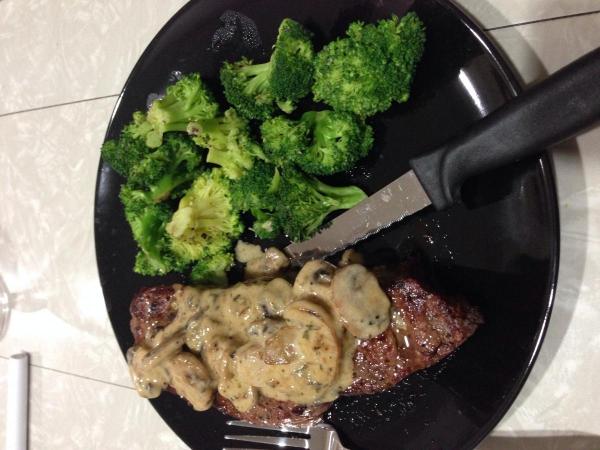
 What exactly do you do with that USB Dock thing haj? I watched a video on it a while back but not sure I understood.Id assume so as i doubt they want to deal with refunds and such to unhappy customers.I got lucky with mine. There's a gentleman (fay126) selling new ones on fredmiranda for $820 whom I purchased mine from. Receipt is included if you ask him for it for any warranty purposes. To remove doubts he does agree to send raw images for the buyer to determine if the lens has trouble focusing which I think is better than having to deal with returns.Id suggest the sigma 35/1.4 over the nikon version Shelly. +1 on lensrentals. Great people. http://www.dxomark.com/%20eng/Reviews/Sigma-35mm-f1.4-DG-HSM-Nikon-Mount-review-the-definitive-high-speed-35mm-wide-angle-lens-for-DSLRs/Sigma-35mm-f1.4-DG-HSM-Nikon-versus-competitionITunes hasn't seen any of those files yet. I just want to copy them from one drive to another. Is there an apple's way to do that?The files were all on ntfs drives originally. I formatted the drives sequentially to whatever macs use when I moved to a MacBook Air. Even when copying originally I had similar issues but not as badly. No background programs running. No hard drive software used. The files seem to work just fine. How would one know if they are corrupted? I'll try repairing the permissions today. There are close to 1500 sub folders. Don't have the time to do each one. The error throws a different file every time.This is driving me insane. Latest macbook air running mavericks. Everytime I try to copy one of my music folders (~250gb) to an portable usb drive from an external non portable usb drive it throws the following error with random files. "The operation can't be completed because the item is in use. Can't copy" Google is dry on it. Has anyone faced similar issues? Anyone solved them successfully? I am considering going back to a PC for file server usage as it has been a nightmare on a mac.A little foreshadowing before Thanksgiving dinner.NY strip steak with a mushroom sauce I made for the first time and broccoli to celebrate passing my first final.
 Nice conversion Jon. Funny, a friend asked me to take some pictures at a baby shower this past weekend. Haven't looked at all of them yet but here are a few. And my favorite so far...


Important Information
By using this site, you agree to our Terms of Use.
Account
Navigation
Search
Configure browser push notifications
Chrome (Android)
- Tap the lock icon next to the address bar.
- Tap Permissions → Notifications.
- Adjust your preference.
Chrome (Desktop)
- Click the padlock icon in the address bar.
- Select Site settings.
- Find Notifications and adjust your preference.
Safari (iOS 16.4+)
- Ensure the site is installed via Add to Home Screen.
- Open Settings App → Notifications.
- Find your app name and adjust your preference.
Safari (macOS)
- Go to Safari → Preferences.
- Click the Websites tab.
- Select Notifications in the sidebar.
- Find this website and adjust your preference.
Edge (Android)
- Tap the lock icon next to the address bar.
- Tap Permissions.
- Find Notifications and adjust your preference.
Edge (Desktop)
- Click the padlock icon in the address bar.
- Click Permissions for this site.
- Find Notifications and adjust your preference.
Firefox (Android)
- Go to Settings → Site permissions.
- Tap Notifications.
- Find this site in the list and adjust your preference.
Firefox (Desktop)
- Open Firefox Settings.
- Search for Notifications.
- Find this site in the list and adjust your preference.