


Hopstretch
High Rollers
-
Joined
-
Last visited
Everything posted by Hopstretch
-
I might be more of a plane dream pop person.
-
"All the shadows and the pain, are coming to you. Yeah yeah yeah."
-
Sorry still doing this.
-
BBC Music have finally put almost all the "Later with Jools Holland" archive on YouTube and oh boy I am like a kid in a candy store.
-
Have been listening to a bunch of Cocteau Twins and This Mortal Coil and highly recommend it.
-
He's dead and we are going in the opposite direction. Sucks.
-
Such a great album. "Island In The Rain" is a pretty much perfect song about loss and regret and the memory of happier times.
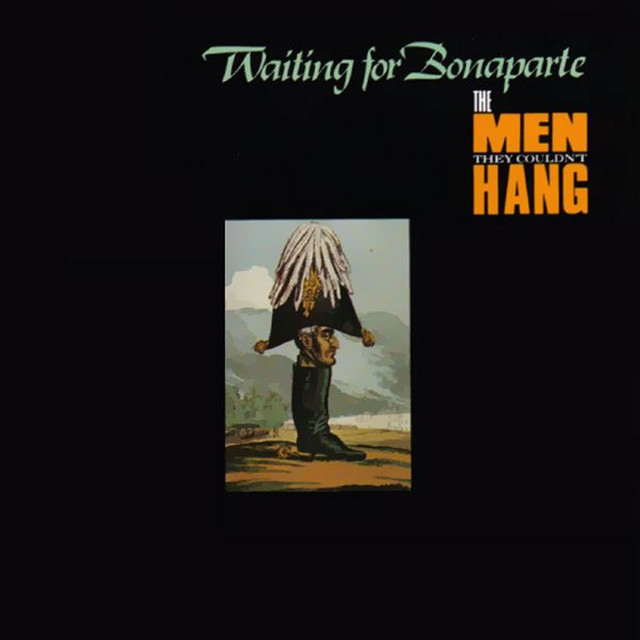 This is a banger.The new Timberlines look like money. Induction side burners and modular everything. The XL is the biggest and most expensive grill they make -- and therefore the one you should buy. https://www.traeger.com/pellet-grills/timberline-xlHappy Birthday!Oh boy. Album is For All Our Days That Tear The Heart. Out next week.And if you can't hear that, you should hang up the cans for good cloth ears.Congrat mate buddy. Nice one! Yee haa!Feel the same way about akvavit!Happy Birthday Brent!Sea Girls. Really liked their first album a couple of years ago. This is a single from the upcoming second.And one for @swt61. Orville Peck -- Daytona SandGirls -- Lust For Life (no, not that one)Shot with a potato, still a good tune.Used to bartend in this really unexciting motel while in college and there were a few random CDs behind the counter that we would of necessity play over and over. This, oddly enough, was one and I still love it.





Important Information
By using this site, you agree to our Terms of Use.
Account
Navigation
Search
Configure browser push notifications
Chrome (Android)
- Tap the lock icon next to the address bar.
- Tap Permissions → Notifications.
- Adjust your preference.
Chrome (Desktop)
- Click the padlock icon in the address bar.
- Select Site settings.
- Find Notifications and adjust your preference.
Safari (iOS 16.4+)
- Ensure the site is installed via Add to Home Screen.
- Open Settings App → Notifications.
- Find your app name and adjust your preference.
Safari (macOS)
- Go to Safari → Preferences.
- Click the Websites tab.
- Select Notifications in the sidebar.
- Find this website and adjust your preference.
Edge (Android)
- Tap the lock icon next to the address bar.
- Tap Permissions.
- Find Notifications and adjust your preference.
Edge (Desktop)
- Click the padlock icon in the address bar.
- Click Permissions for this site.
- Find Notifications and adjust your preference.
Firefox (Android)
- Go to Settings → Site permissions.
- Tap Notifications.
- Find this site in the list and adjust your preference.
Firefox (Desktop)
- Open Firefox Settings.
- Search for Notifications.
- Find this site in the list and adjust your preference.