


Dusty Chalk
Moderators
-
Joined
-
Last visited
Everything posted by Dusty Chalk
-
Chris Rea is one of the few blues rockers I truly enjoy. Good call.
-
Brent ate a biscuit, and said, “die in a fire” three times.
-
No, after this, I’m working on an original.2nd vocal lesson Started working on a cover (Goodloe Byron, Wellness Day, in the style of Born Under Punches). Asked permission. He said he’d be honored, so now I have to. Also, not so much did today so much as benchmarked today — lost another 5-10 lbs. over the last month. I am now 40-45 lbs. down from where I was in March. Win! Still have high blood pressure, though. 😕Quokka


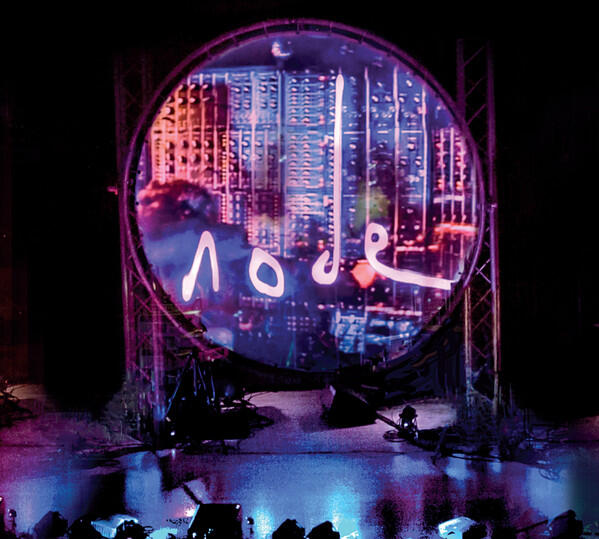
 Fusion, discovered from the r/porcupinetree discord—pretty cool, simple performance video, tooSpace Bacon gleeful, instrumental jam bandNo, but Genelec makes good shit, would recommend.Ian Boddy is an amazing electronic musician, in the style of Tangerine Dream—part composition, part improvisation. He considered this his best live tailored event to date, if you read the blurb, so it’s an excellent place to start. I was only there for the first part of the evening. It was glorious. https://din7d.bandcamp.com/album/altairI was at this show on my birthday two years ago: https://tidal.com/album/107343634Hard pop found by way of Frost* and Haken: https://kyrosmusic.bandcamp.com/album/celexa-dreams-2020Tapatalk? Browser? Operating system?Yeah, that was just an example. I had this for a while, it was...fine. Probably below the caliber of what you should be looking at, though. https://www.guitarcenter.com/Studio-RTA/Mix-Station.gcBleepity bloopity heaven
 Jah Wobble, Holger Czukay, et al, Snake CharmerThat was the first thing I noticed too! At least they're symmetrically arranged. Television image is probably redacted. Season 8 of Game of Thrones or something.Yup, he's going to anyway. Even mentioned that a profile didn't exist for them yet and that he was going to send them in to get them profiled.Misha Mansoor likes the bass on these, compared to the HD800.






Important Information
By using this site, you agree to our Terms of Use.
Account
Navigation
Search
Configure browser push notifications
Chrome (Android)
- Tap the lock icon next to the address bar.
- Tap Permissions → Notifications.
- Adjust your preference.
Chrome (Desktop)
- Click the padlock icon in the address bar.
- Select Site settings.
- Find Notifications and adjust your preference.
Safari (iOS 16.4+)
- Ensure the site is installed via Add to Home Screen.
- Open Settings App → Notifications.
- Find your app name and adjust your preference.
Safari (macOS)
- Go to Safari → Preferences.
- Click the Websites tab.
- Select Notifications in the sidebar.
- Find this website and adjust your preference.
Edge (Android)
- Tap the lock icon next to the address bar.
- Tap Permissions.
- Find Notifications and adjust your preference.
Edge (Desktop)
- Click the padlock icon in the address bar.
- Click Permissions for this site.
- Find Notifications and adjust your preference.
Firefox (Android)
- Go to Settings → Site permissions.
- Tap Notifications.
- Find this site in the list and adjust your preference.
Firefox (Desktop)
- Open Firefox Settings.
- Search for Notifications.
- Find this site in the list and adjust your preference.