

Dusty Chalk
Moderators
-
Joined
-
Last visited
-
I've been really enjoying this YouTube channel, Caffinated 80's, a mix of old remixes and home-made mixes. They did a Naked Eyes tribute when Pete passed away; they did an Alison Moyet tribute recently (I had to check whether or not she passed away -- she didn't, so probably just a loving tribute), and have several Alan Parsons remixes. Not Stereotomy, though.
-
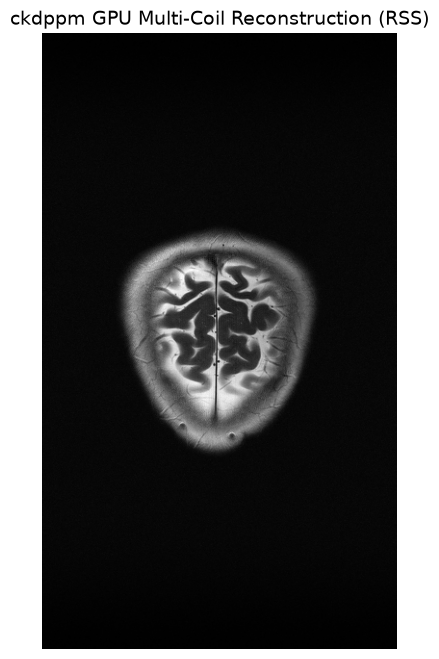
Tracing Astor -- Gidon Kremer plays Astor PiazzollaHenryk Górecki: Symphony No. 3 (Symphony Of Sorrowful Songs)Music on TIDALBeth Gibbons, The Polish National Radio Symphony Orchestr...Listen to Henryk Górecki: Symphony No. 3 (Symphony Of Sorrowful Songs) on TIDAL in exceptional sound quality, or on your choice of serviceYes, that Beth Gibbons (ex-Portishead)I don't know if any of y'all are following Fender's attempts at overly litigious...litigiousness, but PRS introduced the Silver Sky DeFender series, LOL.Oberschoßhundführer Drumpf For a Dr. Strangelove or Catch-22 style satire, the slur should sound absurdly bureaucratic, aggressively hyphenated, and entirely mock-serious. Since it is a derogatory term used by other characters rather than an official rank, it should bite—exposing the leader's cowardice while mocking their delusions of grandeur. Here are a few satirical, German-style slurs tailored to your two-faced, sell-out head of state: The "Sell-Out" & "Traitor" Angles Oberausverkäufer (Oh-ber-owss-fehr-koy-fer) Meaning: Chief Clearance-Sale Director or Supreme Sell-Out. Satirical punch: It treats the betrayal of an entire nation like a cheap retail liquidation event. Oberkollaborateur (Oh-ber-koh-lah-boh-rah-tehr) Meaning: High-Command Collaborator. Satirical punch: It uses high-sounding military phrasing to call them a spineless Quisling who does the enemy's paperwork. Oberrückgratloser (Oh-ber-ruek-grah-tloh-ser) Meaning: Supreme Leader of the Spineless. Satirical punch: Pure bureaucratic mockery of his absolute lack of courage. The "Puppet" & "Lackey" Angles Oberbückling (Oh-ber-buek-ling) Meaning: Chief Bootlicker / Grand Bower. Satirical punch: "Bückling" comes from the verb to bow or grovel. It positions him as the world's highest-ranking sycophant. Oberpantoffelheld (Oh-ber-pahn-tof-fel-helt) Meaning: Supreme Slipper-Hero (Henpecked Leader). Satirical punch: A classic German idiom for someone who acts tough but is completely submissive behind closed doors to their actual master. Oberschoßhundführer (Oh-ber-shoss-hund-fuehrer) Meaning: Commander of the Lapdogs. Satirical punch: It highlights that he thinks he is a "Führer," but he is actually just a tiny pet to the dictator. The "Nihilist / Clown" Angles Obertheaterdirektor (Oh-ber-tay-ah-ter-dee-rek-tor) Meaning: Chief Director of the Theater. Satirical punch: Fits the Dr. Strangelove vibe perfectly, mocking his entire geopolitical strategy as a fraudulent, deadly stage play. And I stand by: he's laying the groundwork to get the USA invaded by Russia, whether intentional or not.Since you are looking to create custom, dramatic titles in the style of SS ranks, you can combine the prefix Ober- (Senior/Chief) and the suffix -führer (Leader/Director) with actual German words for your concepts. Here are the most linguistically accurate and natural-sounding German versions for your ideas: 1. The "Chief Betrayer" (Ober-betrayal-führer) Oberverräterführer (Oh-ber-fehr-ray-ter-fuehrer) Literal breakdown: Ober (Senior) + Verräter (Betrayer/Traitor) + Führer (Leader). Vibe: Sounds like the absolute head of a spy ring or a treasonous coup. 2. The "Master Puppeteer" (Ober-puppet-führer) Obermarionettenführer (Oh-ber-mah-ree-oh-net-en-fuehrer) Literal breakdown: Ober (Senior) + Marionette (String Puppet) + Führer (Leader). Vibe: Perfect for a shadow-government villain who controls everything from behind the scenes. 3. The "Leader of Nothingness" (Ober-nihilism-führer) Obernihilistenführer (Oh-ber-nee-hee-lis-ten-fuehrer) Literal breakdown: Ober (Senior) + Nihilist (Nihilist) + Führer (Leader). Vibe: Sounds like the grim commander of a faction dedicated to pure destruction or chaos. 💡 Tips for Making Your Own If you want to invent more, the formula generally follows: Ober + [German noun in plural or combining form] + führer. Are these words for a fictional story, a game, or a character biography? If you tell me a bit more about the villain's personality or role, I can help you brainstorm an even more specific or sinister title!Starlink throttles access in Ukraine Musk backlash Musk blames US Government CNBCElon Musk says Trump is 'ultimately' responsible for any..."Any limits on speed or usage are decided by the US military and ultimately POTUS," Musk wrote.<-- We are here Tesla/SpaceX/xAI/X/et al get boycotted Musk gets butthurt againLooks delightfully wackThis was great! Thanks for the rec. Me, now: various Hansson & Karlsson Music on TIDALHansson & KarlssonSee the releases of Hansson & Karlsson on TIDALCoolest video I've seen in a long time.When I had a 2.1 system, I used the Sunfire's built-in crossover. The single thing that made the transition seamless was the continuous phase control, but I had to use the crossover in order to accomplish that. You can also do this with physical placement, obviously, but that's not always an option, especially with WAF. For Maggies, if you go the active crossover route, a high-pass filter is a must. (My Sunfire had that, too, but maybe I took it for granted.) And you're also going to want high-quality DACs. MiniDSP seems to be the entry-level baseline, and they also have higher-quality options. I have zero experience with them, just playing meat proxy with Google AI.Unholy carp!Thursday -- finally got the latest Covid booster, + flu shot Friday -- was a zombie But also, got the base IFFT transformation working for my MRI enhancement project. Now, onward to tensor networks.




Important Information
By using this site, you agree to our Terms of Use.