Grahame
High Rollers
-
Joined
-
Last visited
Everything posted by Grahame
-
Nanny State, Think Of the Children (Don't actually, you perv!) or the terrorists will have won. Papers Please. Thank you citizen.
-
About to enjoy this (grass fed lamb - burger + )... When who should I spy, but Who is shortly Vegas bound. Dessert was a (Joanne: "Outstanding") decadent cheesecake brownie EDIT: formatting - also all yummy.



-
+1
-
Oh Colin ....
-
Yes Scotland , More Here From: http://www.thepoke.co.uk/2013/06/14/25-reasons-why-we-love-scotland/
-
Some semi NSFW-ish stories from a UK tabloid (AKA the daily fail) that some of you might find amusing. http://www.dailymail.co.uk/news/article-2537234/I-kidnapped-lapdancers-wearing-miniskirts-stilettos-Daisy-Duke-shorts-Club-boss-tells-terror-alleged-abduction-women-gives-evidence-screen.html (don''t think I'd want that watch back ....) http://www.dailymail.co.uk/news/article-2536488/Faking-World-Air-SEX-championships-contestants-simulate-sex-live-audience-heads-Britain.html quality reporting
-
Automated Cake Sculpting / Decoration / Prototyping ?
-
FAE = Finite Element Analysis, or FEM ( / Finite Element Modelling) . Agreed on the diminishing returns as you approach an optimum (assuming we are close ...) But some headphone manufacturers don't give the appearance of Kaizen
-
But it does apply to the compute power for simulation and FAE - assuming they do that. Cars seem to manage to improve over time.
-
Went back to the rheumatologist to have my knee drained And another cortisone injection to knee, due to my knee swelling up again. Frustrating. Both helped, but I had hoped to avoid another visit, as before Christmas I was thinking of discontinuing physiotherapy as I had reduced swelling and made good progress, and thought I was well enough to take a 10 day road trip to Vegas, etc. Knee swelled up on trip, and I put it down to "too much, too soon" - loss of extension + flexion due to swelling - no loss of activation of quads as previously - thank goodness, but this may have set me back a bit. Dr thinks It might be down to effects of previous cortisone injection wearing off. Either way we have a baseline to work from - I'll see how my knee is next week to see if physiotherapy makes sense - it should be easier this time. So If I look after my knee, in about two months time, we'll know if my knee has significantly improved, or if we are into a repeating cycle and we can look into medicinal treatment rather than rinse, repeat. Ho Hum.
-
Poor Circulation? or did you just reveal you are a Lizard Person, Shelly?
-
Broken pipes are not to be recommended.
-
NOAA says .... Blame Canada? Today's Phrase: "Polar Vortex" Stay Safe and warm everyone.
-
The Joys of Yield Management ... It would seem you are not alone http://aerlinesmagazine.wordpress.com/2012/08/03/the-impact-of-yield-management-in-the-airline-industry-on-customers-feelings-of-price-fairness/
-
Nice Jeff. Smart Electronics too.
-
Video Skyped with my mother on her new iPad Air. I'd Skyped with her on new years day, having set up the call and handled the tech support issues over the phone. This time she initiated the call and manged it all pretty much all by herself. Not bad for an eighty year old.
-
Here's another approach http://instagram.com/mamotoraman
-
Tuesday looks "fun", for brass monkey values of fun (metric values have a much more sensible zero point ...)
-
This. recently. Preceded by the mini episode "Many Happy Returns" ( see spoiler) to set the scene Plenty of Depth, and the following (non plot related) observations
-
Dan, Keep Illuminating!
-
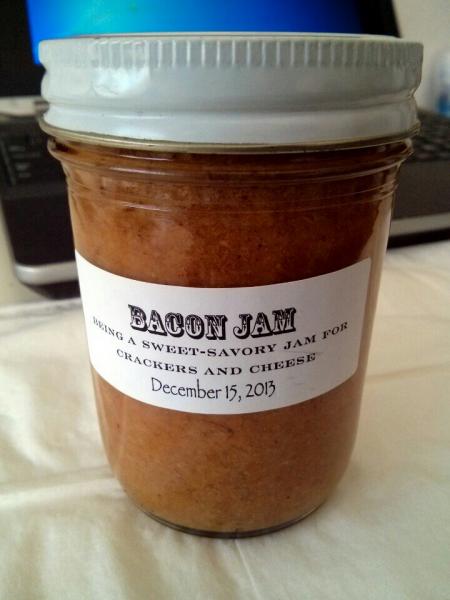
A coworkers wife knows me well ...
-
Interesting Stuff https://www.youtube.com/watch?v=PG4BOLlKOb4
-
You'll Like Alice
-
-
Posh Porn. The Downton Abbey 2013 Christmas Special, while it's still 2013.