


mikeymad
High Rollers
-
Joined
-
Last visited
Everything posted by mikeymad
-
-
Happy Birthday Mike -- Big Cheers...
-
-
Happy birthday brother... Wishing you a no holds barred day of bacon and ice cream... Cheers
-
To a master builder... Happy birthday! Cheers
-
Classic Albums - Motorhead - Ace Of Spades RIP Eddie
-
Happy Birthday and RIP David...Cheers Steve, The Miles comes from the great box set from a while ago.. Nice quiet heavy vinyl set - even though I found one flaw on the second track of Workin' (pressing issue), but the rest of the set is perfect.
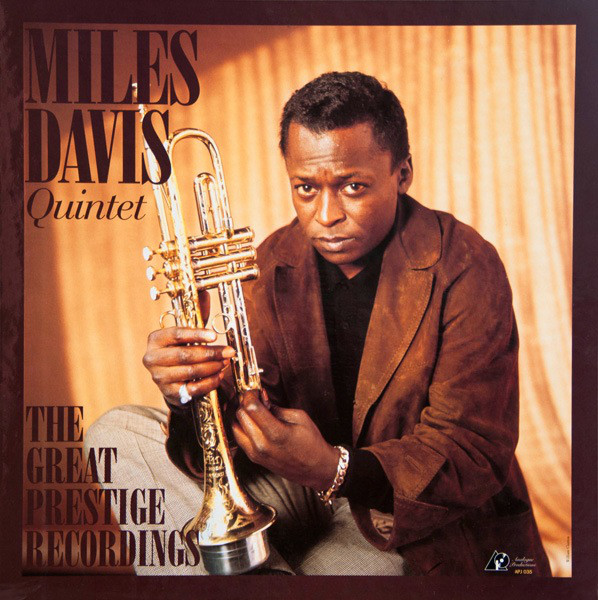 andSome spinningI am bracing for this one now.....Cheers Knucks - Happy Birthday...Yup - took the test - the two that I felt were more properly recorded (Murray Perahia and Suzanne Vega) were easy to pick out the wav - the others were so jacked to begin with it is just a guess. (and I should have gotten the Neil one right - what can I say - I've been sick)I really liked Scrubs, a little old now, but maybe worth a try. And speaking of off beat Canadian, corner gas, is worth a look as well. Opening scene of corner gas...Cheers and happy birthday Ric!Completely un-ironically ....oh .... wait..... (sorry)Those spamBots are getting sneaky these days.Yeah I would expect about 3+ for the CI... My friend CJ's site: https://www.whiskybase.com/whiskies/whisky/89278/1998-sajust found these guys tonight (yeah I am old)... But their compositions are some of my favs. Axwell Λ IngrossoI have not - If it is low enough price - it maybe worth giving a try - otherwise I would stick with Plantation Rums. Samaroli is a great bottler (they just got out of my price range for whisky)RIP Grandma Knucks -- godspeed.





Important Information
By using this site, you agree to our Terms of Use.