johnjen
Members
-
Joined
-
Last visited
Everything posted by johnjen
-
Oh and I forgot to mention EE Toolkit for those with a need to figure circuits-n-shit. JJ
-
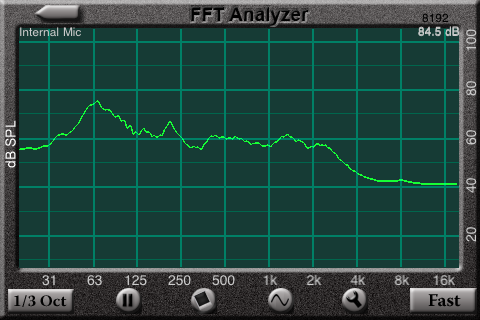
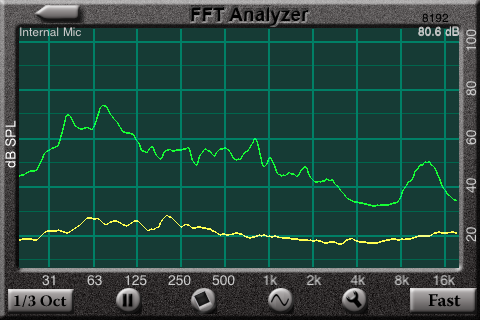
Ok so I hope this isn't 205 (I looked and didn't see it mentioned). But I've been using AudioTools on my iTouch and it's a way kewl set of audio analysis tools. Some are free but the really kewl and informative ones cost a few $$. I don't have an iPad, yet, but some of the apps within this suite are tailored just for the iPad. The spectrum analysis tool is mighty handy for those who'd like a very portable way of seeing what the sound in your environment is. JJ
-
I can almost see some of the head scratching from here at my keyboard, WTF... JJ ps say Tyll, did ya find that foam yet?
-
Well it's a bit strange what with me being a n00b again... Yeah I'm a relative n00b to headphones but not to audio, nor interweb interaction. But he who shall not be named (putts) told me I should check this place out. But lurk first, lurk a lot, lurk here and there and everywhere before posting. Then I saw this thread. The 'edge' that is evident here is something I'm quite used to where I spend most of my online time. I do find myself enjoying the humor and creativity as the themes get picked up and tossed around and refined as they move from post to post. It reminds me of Jo momma, which has a similar degree of frivolity and hard edged in your face-ness about it. At least this site has a semi-decent set of smilies. Well that's about it, so I'll just go back to lurking now... JJ