


robm321
High Rollers
-
Joined
-
Last visited
Everything posted by robm321
-
Jason Isbell - Reunions sooooooo good.
-
Finally getting around to this. Decided to go with Qobuz (24/192 kHz)
-
Cedric Burnside - Pretty Flowers
-
Thanks for that 👍 I will give that a try tomorrow.
-
I can see the pixels, are you sure it's QHD?
-
^ I concur. There is a glare to the upper midrange on the Clears. That along with the immediacy can get fatiguing. I go from these are perfect to "could you just chill out for a minute" depending on the recording.
-
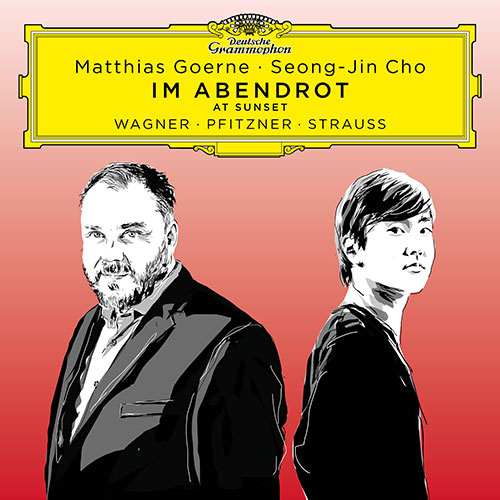
Speaking of Wagner. Earlier today...
-
^ Tyll and others came to the same conclusion. My hope is that the Utopia MG or whatever the next rev. will be fixes those issues while maintaining the same detail and refinement. Although, it rarely happens that way, but we will see.Red Hot Chili Peppers - Stadium ArcadiumHappy Birthday, Kerry!Protip: If you are running an entity that is trying to control and dominate those without power, don't chose a song that is against that very thing.Let us know when you can see in 3D again.Yes, that makes more sense now.Yesterday Enjoyable for the first few songs, but it's basically the same song 12 times. It's too bad because they've got that grimy groove thing working.👌Story of my lifeMorning Tea for me






Important Information
By using this site, you agree to our Terms of Use.
Account
Navigation
Search
Configure browser push notifications
Chrome (Android)
- Tap the lock icon next to the address bar.
- Tap Permissions → Notifications.
- Adjust your preference.
Chrome (Desktop)
- Click the padlock icon in the address bar.
- Select Site settings.
- Find Notifications and adjust your preference.
Safari (iOS 16.4+)
- Ensure the site is installed via Add to Home Screen.
- Open Settings App → Notifications.
- Find your app name and adjust your preference.
Safari (macOS)
- Go to Safari → Preferences.
- Click the Websites tab.
- Select Notifications in the sidebar.
- Find this website and adjust your preference.
Edge (Android)
- Tap the lock icon next to the address bar.
- Tap Permissions.
- Find Notifications and adjust your preference.
Edge (Desktop)
- Click the padlock icon in the address bar.
- Click Permissions for this site.
- Find Notifications and adjust your preference.
Firefox (Android)
- Go to Settings → Site permissions.
- Tap Notifications.
- Find this site in the list and adjust your preference.
Firefox (Desktop)
- Open Firefox Settings.
- Search for Notifications.
- Find this site in the list and adjust your preference.