


robm321
High Rollers
-
Joined
-
Last visited
Everything posted by robm321
-
You can get it free if you have the appropriate measuring equipment.
-
Love Horowitz. I'll have to check that out.
-
Miles Davis - Sorcerer 24/192 Qobuz
-
I don't know what genre it is. I'm not good at the subgenre's. I keep it simple with big umbrellas, so metal/hard rock. I haven't heard this much anger since, A Jagged Little Pill by Alanis. I like it.
-
The Fusion Syndicate - A Speedway On Saturn's Rings.New Steven Wilson album released today The Harmony Codex
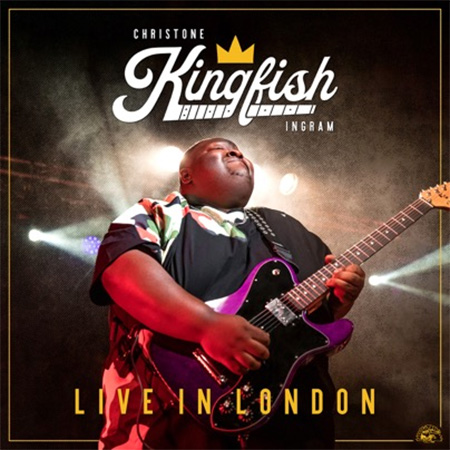
 ^ Fine then, I'll take one. My BL's buttons are scratchy and it's lost its functionality. This seems to be a decent upgrade, so...Happy Birthday, Wayne!I appreciate the heads up. Unfortunately, taking a half or full day off work on the last day of the month might be tough. Jason Isbell on Sunday might would be interesting too 🤔I listened to Redman's album too. Really liked it. Was expecting it to be more experimental from Mikey's comments. It was pretty straight forward to me, and I did like the singer. Bummer that she sounded so off live. I also listened to this: I saw some YouTube videos of him but didn't think I'd like a whole album. I was wrong. The sound quality was surprisingly good, and this song blew me away, especially the solo. The 8+ minutes is well worth your time, but if you don't want to invest in it, the solo starts at 3:20.
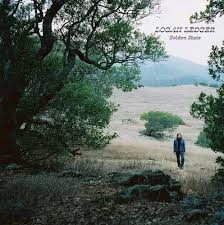
 I have that on my list to listen to. Most of Redman's stuff has been accessible. I'm interested to see what he's getting into.What about the carbon filter?Happy Birthday, Stretch!This could be a 70s album sung by a 30-40 year old, but it's a 2023 album sung by a 20 something with rich lyrics and a sweet voice. A little Orbison Sounding.
 Happy Birthday!RIP Sofie. Sorry for your loss 😪^ I'm listening to this too because of your other post. How could anyone not like this? I'll be listening to the rest of their stuff too. Had to look up shoe-gaze, but I'd say you're right about that.I like it too. She's got the perfect voice for the genre.





Important Information
By using this site, you agree to our Terms of Use.
Account
Navigation
Search
Configure browser push notifications
Chrome (Android)
- Tap the lock icon next to the address bar.
- Tap Permissions → Notifications.
- Adjust your preference.
Chrome (Desktop)
- Click the padlock icon in the address bar.
- Select Site settings.
- Find Notifications and adjust your preference.
Safari (iOS 16.4+)
- Ensure the site is installed via Add to Home Screen.
- Open Settings App → Notifications.
- Find your app name and adjust your preference.
Safari (macOS)
- Go to Safari → Preferences.
- Click the Websites tab.
- Select Notifications in the sidebar.
- Find this website and adjust your preference.
Edge (Android)
- Tap the lock icon next to the address bar.
- Tap Permissions.
- Find Notifications and adjust your preference.
Edge (Desktop)
- Click the padlock icon in the address bar.
- Click Permissions for this site.
- Find Notifications and adjust your preference.
Firefox (Android)
- Go to Settings → Site permissions.
- Tap Notifications.
- Find this site in the list and adjust your preference.
Firefox (Desktop)
- Open Firefox Settings.
- Search for Notifications.
- Find this site in the list and adjust your preference.