


robm321
High Rollers
-
Joined
-
Last visited
Everything posted by robm321
-
Happy Birthday, Adam!A conversation starter, if you will.
 Happy Birthday, Grahame!
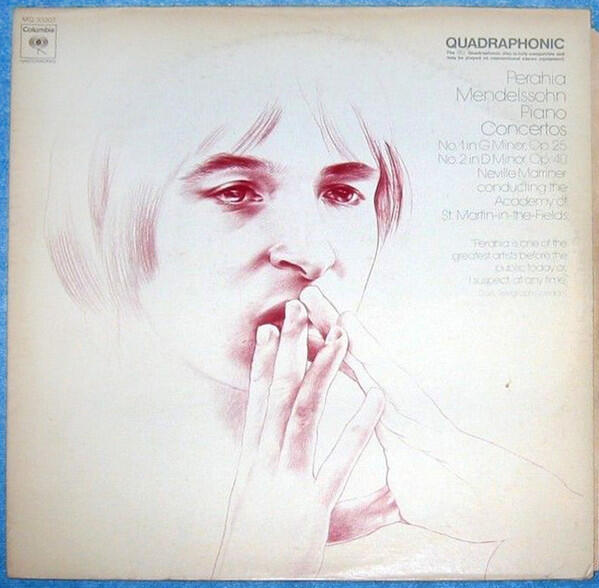
 Awesome work 👍Never before released live recording at Slugs' Saloon (1966). Surprisingly decent sound quality. It's quite good.Happy Birthday!Happy Birthday!Mendelssohn - Murray Perahia, Academy Of St. Martin-in-the-Fields, Neville Marriner – Piano Concertos Nos 1 & 2 Picked up this LP used. I've always liked Mendelssohn.
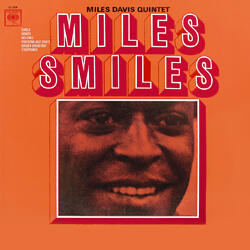
 Aja is a masterpiece. Before you listen to it, make sure to check this out, if you haven't already.I forgot to post the very short trailerNubya Garcia - Odyssey I really liked this album. Inspiring stuff. Very intricate and inovative. It will take some listening effort on your part to get where it's coming from.I couldn't get myself to listen to it, but I'm glad you enjoyed it a bit.That one interested me too. Is it short? $70 for a short game/story was my only concern.Merry Birthday, Ric!RIP, very fun to watch. 65 seems too young.





Important Information
By using this site, you agree to our Terms of Use.
Account
Navigation
Search
Configure browser push notifications
Chrome (Android)
- Tap the lock icon next to the address bar.
- Tap Permissions → Notifications.
- Adjust your preference.
Chrome (Desktop)
- Click the padlock icon in the address bar.
- Select Site settings.
- Find Notifications and adjust your preference.
Safari (iOS 16.4+)
- Ensure the site is installed via Add to Home Screen.
- Open Settings App → Notifications.
- Find your app name and adjust your preference.
Safari (macOS)
- Go to Safari → Preferences.
- Click the Websites tab.
- Select Notifications in the sidebar.
- Find this website and adjust your preference.
Edge (Android)
- Tap the lock icon next to the address bar.
- Tap Permissions.
- Find Notifications and adjust your preference.
Edge (Desktop)
- Click the padlock icon in the address bar.
- Click Permissions for this site.
- Find Notifications and adjust your preference.
Firefox (Android)
- Go to Settings → Site permissions.
- Tap Notifications.
- Find this site in the list and adjust your preference.
Firefox (Desktop)
- Open Firefox Settings.
- Search for Notifications.
- Find this site in the list and adjust your preference.