


robm321
High Rollers
-
Joined
-
Last visited
Everything posted by robm321
-
Hell ya, didn't know S4 was out. Thanks. (Hopefully not final)
-
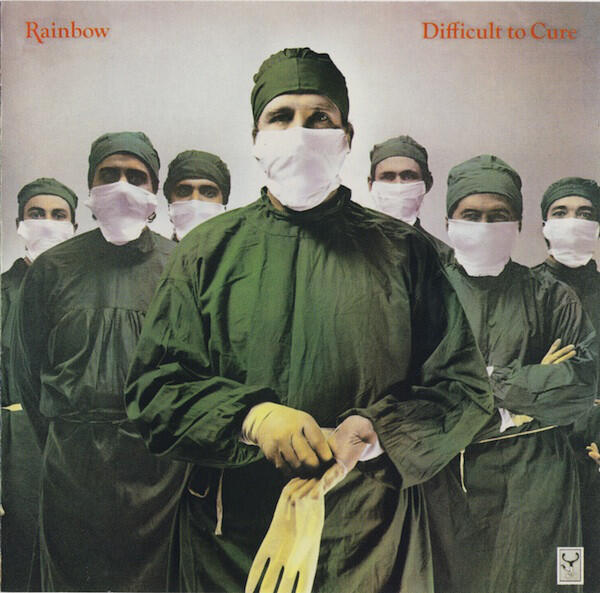
What are they going to eat?Jack White never misses.RIP Alfred vinylHappy Birthday, Kerry!It's about to get spicy 😬The band split up in 2002, got back together 24 years later and made this album. Low expectations on that and pop isn't exactly my favorite genre. I'd say they not only produced a good album but hit it out of the ballpark good. Or at least a triple. ex.Funny, I just came here to post what I listened to yesterday. The sound quality is pristine. I've always been a fan of HDCD, especiallly in Reference Recording's hands. YMMV, but I very much enjoy the performance as well. I've had this disc for years.Happy Birthday!Rainbow - Difficult to Cure SACD
 Is there a new bigger is better thing going on in audiophile land? I'm definitely out of the loop.I can appreciate lazy. I had a nice dinner at, Asa Restaurant in Los Gatos. Had a tasty New York Strip washed down with an old fashioned and an IPA that I didn't catch the name of. Not bad for a Wednesday. Have some planned excursion Saturday which is a surprise 🤷♀️I'm currently listening to an "Arcadia" album you might like better.This.Qobuz Connect is out now.





Important Information
By using this site, you agree to our Terms of Use.
Account
Navigation
Search
Configure browser push notifications
Chrome (Android)
- Tap the lock icon next to the address bar.
- Tap Permissions → Notifications.
- Adjust your preference.
Chrome (Desktop)
- Click the padlock icon in the address bar.
- Select Site settings.
- Find Notifications and adjust your preference.
Safari (iOS 16.4+)
- Ensure the site is installed via Add to Home Screen.
- Open Settings App → Notifications.
- Find your app name and adjust your preference.
Safari (macOS)
- Go to Safari → Preferences.
- Click the Websites tab.
- Select Notifications in the sidebar.
- Find this website and adjust your preference.
Edge (Android)
- Tap the lock icon next to the address bar.
- Tap Permissions.
- Find Notifications and adjust your preference.
Edge (Desktop)
- Click the padlock icon in the address bar.
- Click Permissions for this site.
- Find Notifications and adjust your preference.
Firefox (Android)
- Go to Settings → Site permissions.
- Tap Notifications.
- Find this site in the list and adjust your preference.
Firefox (Desktop)
- Open Firefox Settings.
- Search for Notifications.
- Find this site in the list and adjust your preference.