skullguise
High Rollers
-
Joined
-
Last visited
Everything posted by skullguise
-
Holy.....fucking.....shit......😪
-
So sad indeed....and RIP to the countless "non-celebrities" dying of this virus.....
-
Sounds good. Just to be clear, I'm still using my Aries, offering up the SMSL DP3......
-
I'd recommend a used Auralic Aries Mini. Can handle all types of music (FLAC and DSD), has a built-in DAC and RCA analog outs, and coax/optical/USB out for digital out to DAC. Connects via ethernet or WiFi. You can use an external USB HDD, or mount a 2.5" inside. Transferring music is a bit slow/tedious, but it works. The App for it isn't bad, but I use mine with Roon & Tidal as it's a recognized Roon Endpoint. These are tough to find used, but a fairly nice option. Another thought: an SMSL DP3 (https://www.amazon.com/Headphone-Amplifier-SMSL-DP3-Turntable/dp/B07CQKKY5B). A kind of nice all-in-one unit, lots of similarities to Aries Mini with a few differences: 1) has a headphone out; ok, not great, 2) does ethernet, WiFi, and Bluetooth, 3) has a screen for seeing what is going on, 4) internal storage is SD card, 5) BUT....app interface is Hiby App, connected via Bluetooth, and I don't like it much at all. It has other connectivity options (DLNA, Airplay, etc.) so maybe there is a better interface out there. All that said, I have one of these if you want to try/borrow it Nate, along with the other stuff to come your way. 😊
-
A very apt description, I've listened to V but not yet VI. And speaking of Brian Eno, listened to this the other day:
-
Holy shit, that Minor Threat Golden Girls is awesome!
-
It's a bunch of room-loaded passive radiators!
-
Got it, but haven't listened yet.....didn't like Citizen Of Glass as much as Aventine, but still good music! EDIT: just listened....it does harken back to Aventine a bit more, so enjoyed the listen.....
-
So much of all the above! RIP Curly, and thanks for the memories.....
-
My fave REM albums go back even further.....! Maybe Reckoning.....though "Fall On Me" from Life's Rich pageant is one of my all-time favorites.
-
RIP to Albert and Terrence. I'm fearing the Coronavirus will be the new "Fuck" target for RIP's soon enough 😪 Also RIP to Bill Rieflin, drummer who had played with several bands including King Crimson, NiN, REm, and more....
-
Wow.....RIP Kenny. Reading more about him that I never knew, and seeing all that he had done in his life.....wow.......
-
-
A local dealer carries those Paradigm lines....some lovely things!
-
RIP Genesis.....it didn't seem that long ago you posted that interview article..... And yeah, fuck cancer...!
-
Meh....it's just smoke and mirrors. It's actually a fake chassis for the McIntosh gear, and each houses this little Tripath amp inside:
-
RIP Max.....indeed another biggie......
-
Happy Birthday Seed Lady!
-
Oh man....yeah, RIP McCoy...... And RIP Joyce....what an interesting article Ric!
-
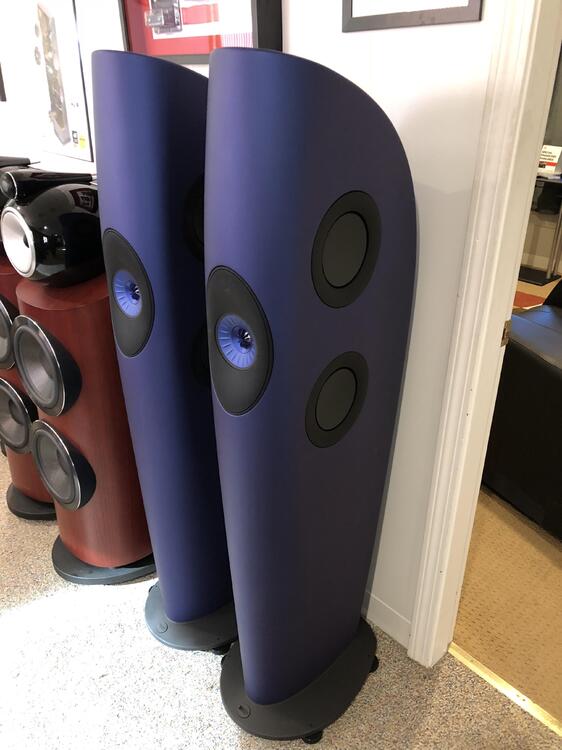
I posted this a while back somewhere here, Dusty, but these are still available:
-
Very Happy Birthday!
-
'Appy Birthday, Bruv! 😊
-
This could lead to the title of a new B-movie: Attack Of The Brain-Eating Tits!
-
Actually.....
-
RIP Clive....! I've also gone through a lot of his series, from Dirk Pitt to Kurt Austin to Oregon to Fargo....still some to read.