shellylh
High Rollers
-
Joined
-
Last visited
Everything posted by shellylh
-
You've gotten me interested in the Clear and the Utopia now! Haha.
-
Congrats Jacob! Stay safe Greg - that fire seems crazy!
-
It's hard to say since I listen to my NAD m51 with the BHSE + Stax HPs whereas I've only use the NAD m32 with my Sierra-2 speakers. They both sound fantastic though. Going to Germany but will do some comparisons of the two DACs. I bet the NAD m12 is fantastic! Just a little jealous. Would love to have the m12+m22 combo.
-
Oh shit!!! Going to take over the HC acquisition trade Stretch?
-
Installed the BluOS module in my NAD m32. Now streaming Tidal Masters directly to the player with the BluOS app. So sweet!!!
-
So sorry for Susie. Good luck with the surgery!
-
Happy birthday, Bryan!!!
-
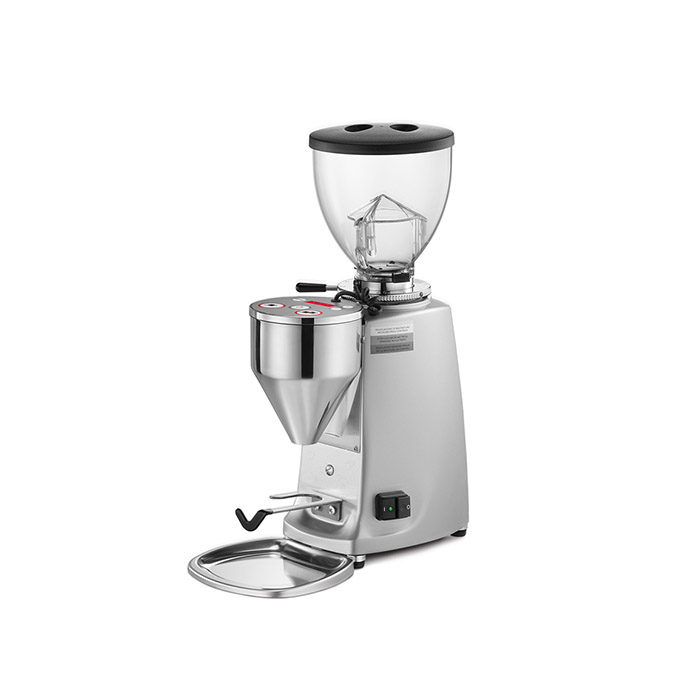
I recently bought this grinder but it is for espresso machines (which is the type of machine you should be buying). Mazzer Mini Doserless Type A grinder https://clivecoffee.com/product/mazzer-mini-doserless-type-a-espresso-grinder/ I would call these guys up and ask them. Great place. https://clivecoffee.com/product-category/grinders/
-
Yum!
-
I do a lot of wireless streaming from my iPad (through Tidal) to an Apple Airport Express (only Optical Output).
-
the AirPods are great (at least for casual listening/running/workouts)!
-
For curiosity sake, I picked up a pair to try out. Not nearly as bad as the DT770 but it still has recessed mids and the bass is a big boomier than I would like. Sending them back obviously. Still really comfy and solidly built.
-
Holy shit! congrats Jacob!
-
NAD M51 on sale for half off at Audio Advisor ($999). So yes, I did buy another one. http://www.audioadvisor.com/prodinfo.asp?number=NAM51
-
Haha.
-
But for some reason, no sound is getting through the invisible cables.
-
Worked on the home gym setup
-
I’ve had my 650 for over 10 years and have never had a problem. On the other hand the headband 280 pro broke after a year and I treat everything I own with care. In addition, my head is much smaller than the average headphone wearer. Plus, they were so so uncomfortable whereas the 650 and 600 are one of the most comfortable pairs of headphones ever made in my opinion. Not to mention, the 280 pro sound like crap. So I completely agree with Dusty. I am actually somewhat interested in the DT1770 to use in the office. I would love to have a closed pair of headphones that sound decent, isolate, and are comfortable. The DT 770 are one of the most comfortable pair of headphones I ever owned and isolated like crazy but were way too dark/muddy sounding. So far, I have just heard people complain about the DT1770 being too bright which is probably a good sign.
-
Happy belated birthday Mikey!!!
-
Saw Sarah Jarosz (and opener The Brother Brothers) tonight. Both were great!


-
My iPhone 8 is fine with the new os.
-
All gone. I should point out that this is Mexican chorizo which seems to be different than Spanish chorizo according to Wikipedia. It is delicious!
-
Huevos con chorizo
-
I plan to use HD650 and HD800 with it. It sounds interesting but I think I'll see what Doug can do for me instead.
-
Was doing some research on the available dac/amp combos to use on a desk. Noticed the Sony TA-ZH1ES. Anyone know anything about this? https://www.bhphotovideo.com/c/product/1295894-REG/sony_tazh1es_premium_headphone_amplifier_with.html https://www.sony.com/electronics/audio-components/ta-zh1es